Until now, sending push notifications to a React Native app with Ably meant registering devices manually through the push admin API, usually from a server. The new plugin moves activation where it belongs: onto the device.
We've added first class support for React Native apps receiving push notifications through the Ably PubSub JavaScript SDK. From version 2.25.0, the new ably/react-native-push plugin lets a React Native device activate itself as a push target, subscribe to channel-based notifications, and receive messages through FCM on Android and APNs on iOS, using the same unified API that already powers push notifications on the web, iOS, and Android with Ably.
What can you do with React Native push notifications?
- Reach users when the app is closed. Realtime messages delight users while your app is open. Push notifications carry the same events (a new chat message, an order update, a price alert) to the device when it isn't.
- Notify at channel granularity. Devices subscribe to the channels they care about, and one published message fans out to every subscribed device. No device lists to maintain in your backend.
All the features you need
- Android and iOS from one codebase, delivered through FCM registration tokens or raw APNs device tokens. Your app declares which transport each token belongs to.
- Bring your own modules. The SDK adds no native dependencies. You pass in your storage (any implementation of the
@react-native-async-storage/async-storageinterface) and a callback that returns a push token, typically wrapping@react-native-firebase/messaging. - Device-side activation with
push.activate(): the SDK generates and persists the device identity, registers it with Ably, and keeps the registration across app restarts. - Publish via channels to every subscribed device, or publish directly to a device ID or client ID.
How it works
Your app supplies the two things the SDK cannot provide itself in React Native, persistent storage and token acquisition, and the plugin handles registration, state, and persistence:
import { Realtime } from 'ably';
import ReactNativePush from 'ably/react-native-push';
import AsyncStorage from '@react-native-async-storage/async-storage';
import messaging from '@react-native-firebase/messaging';

const Push = ReactNativePush.create({
  storage: AsyncStorage,
  requestToken: async () => ({
    transportType: 'fcm',
    token: await messaging().getToken(),
  }),
});

const client = new Realtime({ authUrl: '/auth', plugins: { Push } });

// Activate the device and subscribe a channel to deliver pushes to it
await client.push.activate();
await client.channels.get('orders:1234').push.subscribeDevice();
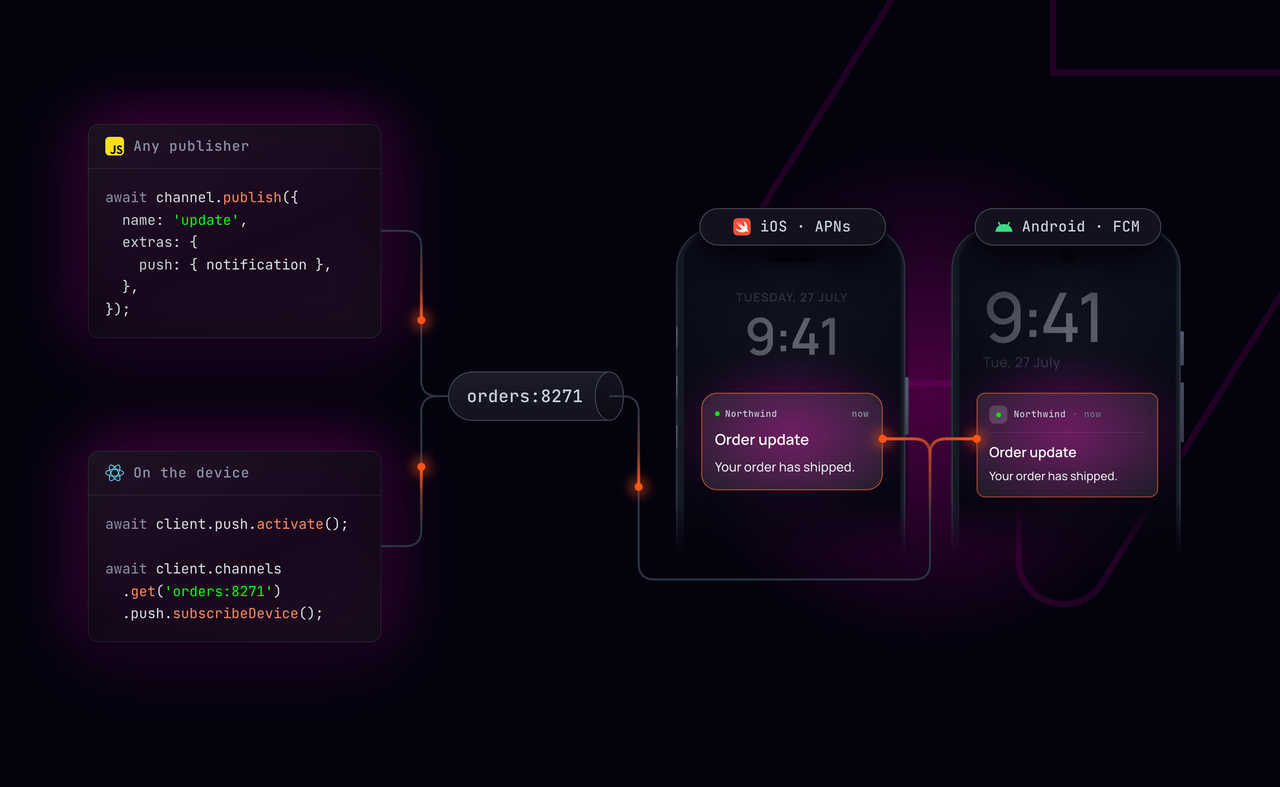
Then any publisher, your server, another client, or the Ably CLI, triggers the notification by publishing to the channel with a push payload:
await rest.channels.get('orders:1234').publish({
  name: 'update',
  data: { status: 'shipped' },
  extras: {
    push: {
      notification: { title: 'Order update', body: 'Your order has shipped.' },
    },
  },
});
Send your first notification
Follow the React Native getting started guide to go from a fresh project to a notification on a physical device, or read the push notifications docs for the full picture.