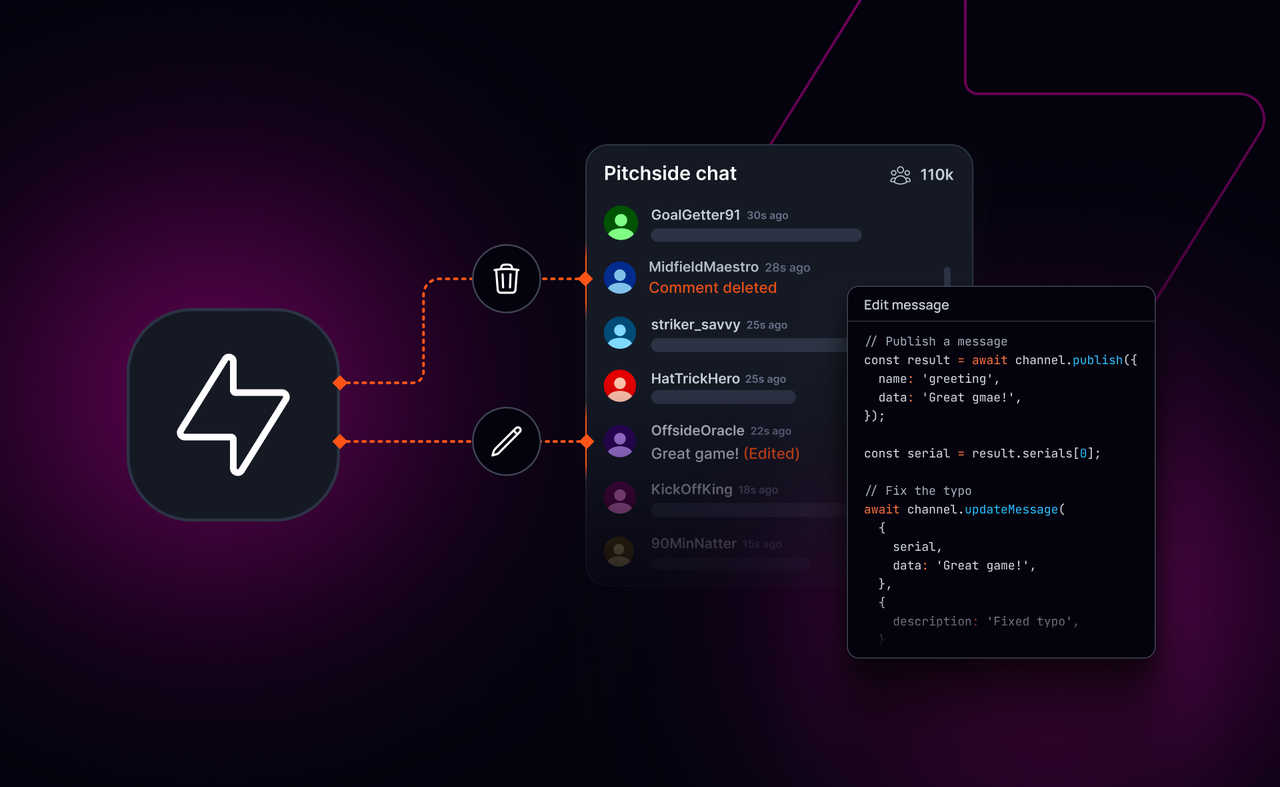
Editing or removing a message after it’s been published sounds simple. In realtime systems, it usually isn’t.
Once a message has been delivered to multiple clients, cached locally, and written into history, changing it safely becomes a coordination problem. Clients need to agree on what’s current. History needs to stay consistent. Reconnects and refreshes can’t bring back stale content.
That’s why many systems treat messages as immutable by default.
Today, Ably Pub/Sub adds support for editing and deleting previously published messages, with a clear model for versioning, history, and permissions.
What you can do
With message edits and deletes enabled on a channel, you can:
- Edit a previously published message
- Delete a previously published message
- Query history and get the latest version of each message (not older versions)
- Control who can update or delete messages using Ably capabilities
- Retrieve version history when you need it
How it works
When you edit or delete a message, Ably records a new version of that message.
- The message keeps the same serial, which defines its position in the channel timeline
- Each change has its own
version.serial - Subscribers receive update and delete events in realtime
- History queries return the latest version of a message, in its original position
Both serial and version.serial are lexicographically sortable strings. The highest version.serial is the latest version.
Edits and deletes can also include metadata, such as who made the change and why.
Edit a message
// Publish a message
const result = await channel.publish({ name: 'greeting', data: 'Hello wrold' });
const serial = result.serials[0];

// Fix the typo
await channel.updateMessage(
  {
    serial,
    data: 'Hello world'
  },
  { description: 'Fixed typo' }
);
Subscribers see the update in realtime and can replace their local version. History always returns the corrected message.
Delete a message
Deletes use the same reference model. Once deleted:
- subscribers are notified
- history no longer returns the message
- the timeline stays consistent
This is useful for moderation and content removal flows where clients need to converge on the same result, as though the message was never sent.
Permissions
Edits and deletes integrate with Ably’s capability system. You can grant:
message-update-own / message-delete-ownto allow users to modify their own messagesmessage-update-any / message-delete-anyto allow moderators or system roles to modify any message
Use cases
Moderation in livestream and community chat
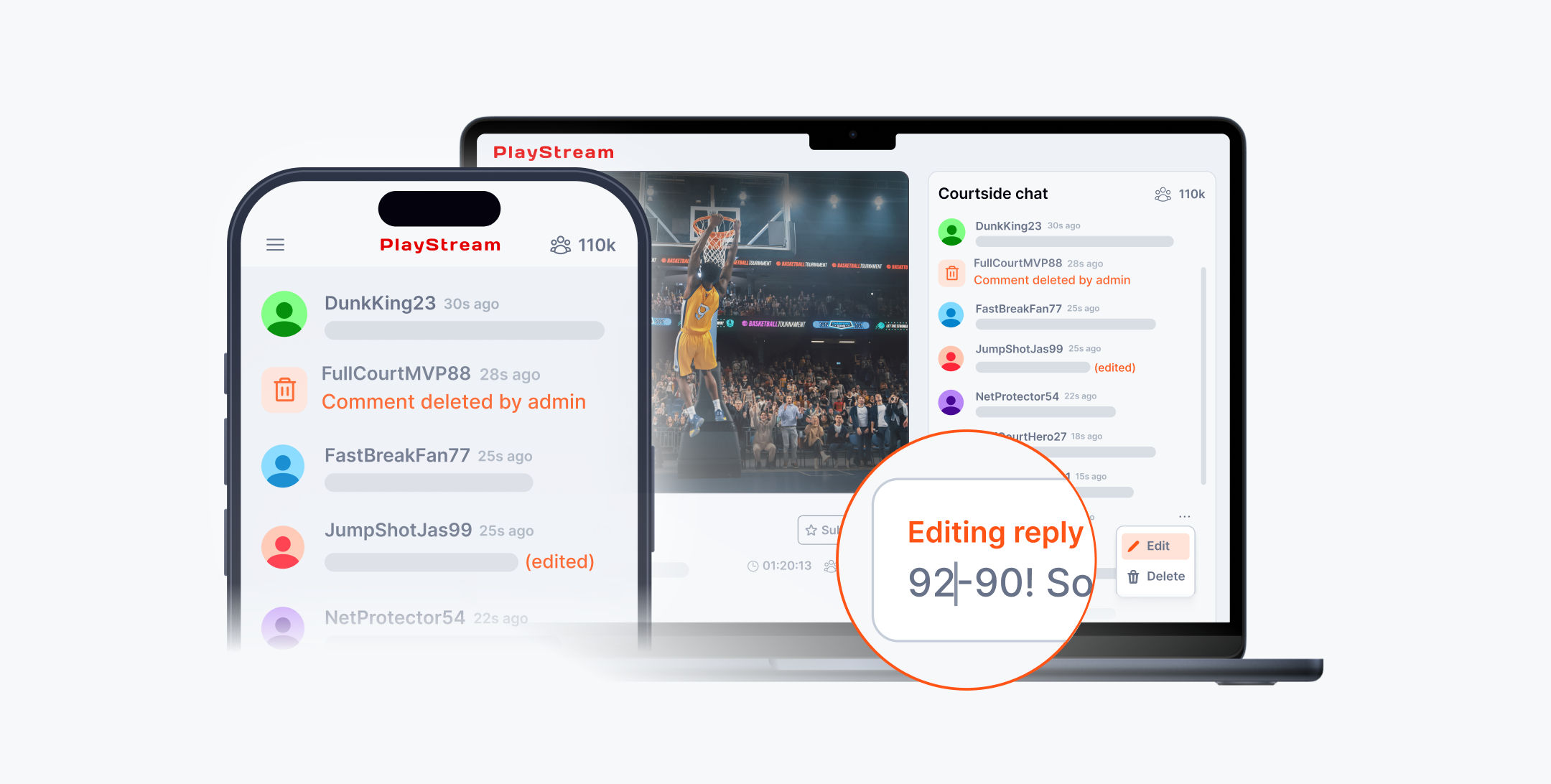
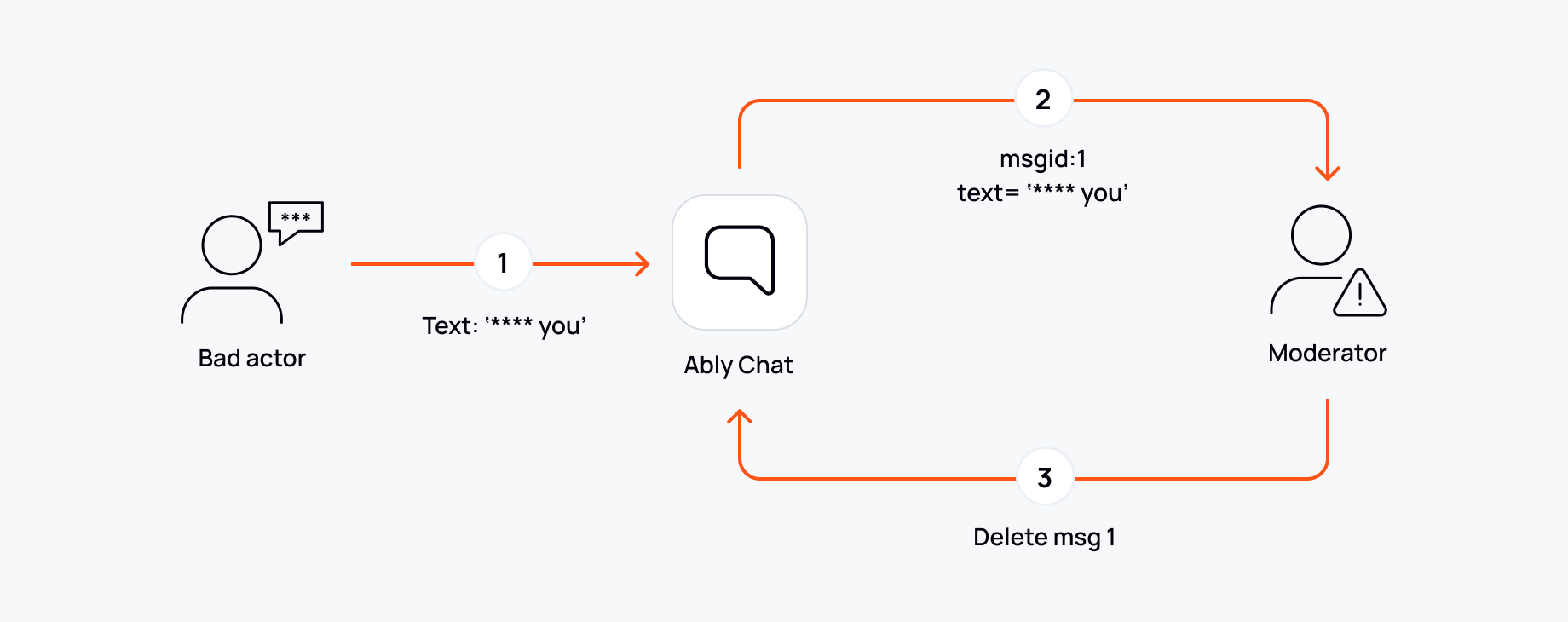
If you run a livestream chat, a game community, or any high-fanout channel, moderation is mostly about speed and consistency.
The obvious part is removing harmful content quickly. The less obvious part is making sure it stays removed everywhere. In practice, viewers refresh. Clients reconnect. New subscribers join and backfill history. If your removal logic only lives on the client, or in a separate “moderation stream”, you end up with situations where one group of users sees the message disappear while others pull it back from history and keep rendering it.
With message deletion in Pub/Sub, the delete becomes part of the same channel stream and:
- Subscribers receive the delete event in realtime
- History queries stop returning the message
- Clients joining late or reloading don’t rehydrate removed content
Corrections in support and ops workflows
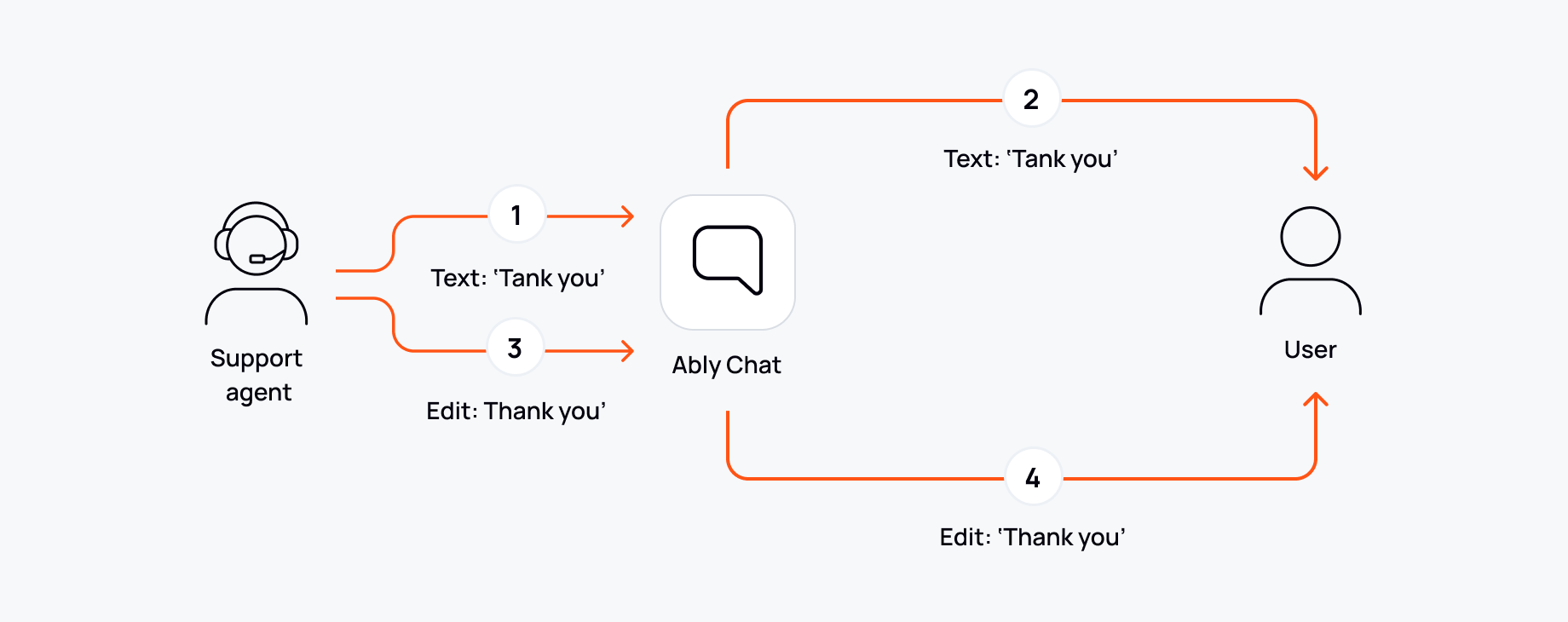
Support and ops chat has a different shape, but the same underlying requirement: people need to correct what they sent, and transcripts need to stay coherent.
Without an update model, teams usually end up with “correction messages” (“sorry, typo: …”), or they try to mutate state locally in the UI. Both options have downsides. Correction messages leave you with two versions in the transcript, which is noisy and error-prone when you’re scanning quickly. Client-side mutation looks fine until you replay history on refresh and the old version shows up again.
With message updates, the message keeps its identity, but its content changes:
- Subscribers see the update in realtime
- History returns only the latest version of the message
- Older versions don’t resurface on refresh or reconnect
Getting started
Message edits and deletes are in Public Preview.
To enable them:
- Go to your app’s Settings in the Ably dashboard
- Add a rule for the channels you want to use the feature
- Enable “Message annotations, updates, appends, and deletes”
Enabling this feature persists messages on the affected channels, which may affect billing. Please view our guide on updates and deletes for a full guide on how to get started.