
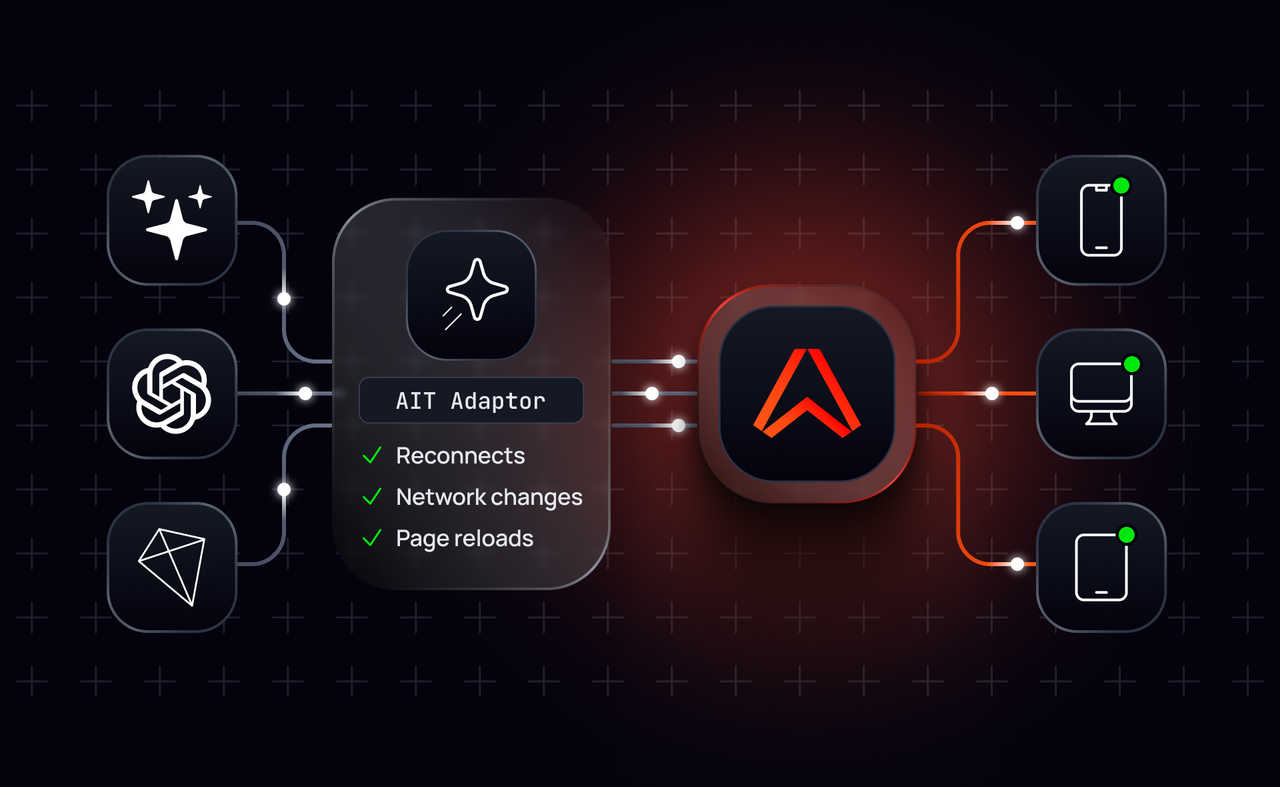
Ably AI Transport provides a suite of adaptors that let you stream output from AI models and agent frameworks to your end users over Ably Pub/Sub channels.
Ably handles delivery between your agents and their users, including reconnects, network changes, and page reloads. You don't need to build or operate separate infrastructure for streaming agent responses.
The release includes adaptors for the Vercel AI SDK, OpenAI Responses API, and AG-UI. You pass an Ably channel to the adaptor, pipe your agent's output through it, and receive the stream on the client.
Because the output travels over a regular Ably channel, you can use the rest of Pub/Sub alongside it. Presence can track who's connected, LiveObjects can hold shared state, and your application can publish its own messages alongside agent output. Human participants can join the same channel too.
Streaming output from agents to users
An agent adaptor takes events from your framework and publishes them to an Ably channel. Your application creates the channel through its Pub/Sub client and passes it to the adaptor.
AI Transport 1.0 ships with three adaptors:
- Vercel AI SDK: vercelAdaptor
- OpenAI Responses API: openaiAdaptor
- AG-UI v1: agUiAdaptor
Here's an example of streaming a response using the Vercel AI SDK agent adaptor:
// Agent code.
import { createRealtimeClient } from '@ably/pubsub-server';
import { vercelAdaptor } from '@ably/ai-transport/vercel';

const pubsubClient = createRealtimeClient({ key: process.env.ABLY_API_KEY });
const channel = pubsubClient.channels.get(channelName);

const adaptor = vercelAdaptor(channel);
await adaptor.send({ type: 'user-message', message }, { headers: { requestId: message.id } });

const { serial } = await adaptor.pipe(toUIMessageStream({ stream: result.stream }), {
  signal: req.signal,
  headers: { requestId: message.id },
});
Each adaptor maps framework events to Ably message operations using a codec.
For streamed text, the first delta creates a message. Subsequent deltas append to that same message rather than publishing a separate message for every token. Other events, such as tool results and stream completion, are published as individual messages.
A subscriber watching the stream receives the appends as they arrive. Someone who joins later, or reads the channel history, gets the accumulated text as one message.
Appends are sent without waiting for an acknowledgment each time, avoiding a round trip for every token. If an append fails, the adaptor repairs the message by updating it with the complete text before publishing the event that ends the stream.
All three adaptors expose the same methods:
- send publishes a single event.
- pipe publishes a complete stream and returns the serial of its final message.
- pipeEach publishes the stream and returns each event with its serial, so you can save those serials to your database as the stream progresses.
If you're working with another framework, you can build an adaptor using defineCodec and createAgentAdaptor.
Subscribing to agent output from clients
On the client, you subscribe to the channel using the standard Ably Pub/Sub SDK.
A decoder converts the Ably messages back into the events your framework expects. Each agent adaptor has a corresponding decoder, which works with both live messages and channel history.
// Client code.
import { createClient } from '@ably/pubsub-device';
import { vercelDecoder } from '@ably/ai-transport/vercel';

const pubsubClient = createClient({ authUrl: '/api/auth/token' });
const channel = pubsubClient.channels.get(channelName);

const decoder = vercelDecoder();

decoder.onEvent(({ event, message }) => {
  if (event === undefined) return handleMessage(message);
  applyEvent(event);
});

await channel.subscribe(decoder.receive);
Here, applyEvent handles decoded agent events, while handleMessage receives messages your application publishes directly to the channel.
Your application is responsible for turning those events into conversation messages. With the Vercel AI SDK, you can use readUIMessageStream. With AG-UI, you can use the reducer in @ag-ui/client.
AI Transport doesn't manage conversation state. It delivers the events and leaves your application and framework to handle them.
Using client adaptors
AI Transport 1.0 also includes client-side adaptors that make it easier to consume AI output over Ably and integrate it with popular frontend frameworks.
For example, if you're using the Vercel AI SDK's useChat hook, createChatTransport connects it directly to an Ably channel:
import { useChat } from '@ai-sdk/react';
import { usePubSubClient } from '@ably/pubsub-device/react';
import { createChatTransport } from '@ably/ai-transport/vercel';

const channel = usePubSubClient().channels.get(channelName);
const transport = useMemo(() => createChatTransport({ channel }), [channel]);

const { messages, status } = useChat({
  id: channelName,
  transport,
  resume: true,
});
The transport sends each user turn to your backend and reads the response from the Ably channel. This means responses can continue after the original request ends, and clients can resume receiving them after a page reload or dropped connection.
More client-side integrations are coming soon, including support for AG-UI and TanStack AI.
Catching up from your own database
In 1.0, your database remains the source of truth for conversation history. When a client opens a conversation, it can load the existing messages from there and then catch up with anything published since.
To do this, save the Ably message serial alongside your conversation data. When the client connects, pass the saved serial as the channel's rewind parameter:
const channel = pubsubClient.channels.get(channelName, {
  params: { rewind: stored.serial },
});
Ably delivers the messages published after that serial, followed by new messages as they arrive.
Using Pub/Sub alongside agent output
Using Pub/Sub alongside agent output
Streaming text is only part of an agent application. You may also need to show who's online, update shared data, display what an agent is doing, or notify someone when a long-running task finishes.
In AI Transport 1.0, your application owns the channel. That means you can use the standard Ably Pub/Sub APIs directly, without routing everything through the AI Transport SDK.
For example:
- Presence tracks which people and agents are connected. An agent can check presence before starting a long operation and decide whether to continue if nobody is online.
- LiveObjects stores shared state that agents and clients can both update, such as a plan, document, or table.
- Message updates let you replace an existing message, useful for displaying an agent's current status without adding a new message for every change.
- Ephemeral messages carry temporary progress updates without storing them in channel history.
- Push notifications can notify someone who's offline when an agent completes a task.
These messages can share a channel with the agent's output.
This also makes it possible to build conversations involving both people and agents. An agent can participate in an existing human conversation, or a person can take over from an agent, without changing how the client subscribes to messages.
Getting started
Install AI Transport alongside the appropriate Ably Pub/Sub SDK.
For your agent:
npm install @ably/ai-transport @ably/pubsub-server
For your client:
npm install @ably/ai-transport @ably/pubsub-device
AI Transport streams text by appending deltas to an existing Ably message. The namespace used for your conversations must therefore have the mutableMessages channel rule enabled.
For working examples, installation details, and the full API reference, see:
- AI Transport documentation
- Getting started with the Vercel AI SDK
- Getting started with the Core SDK
- AI Transport 1.0.0 release notes
- Source code and minimal demo on GitHub
You can also create a free Ably account to try AI Transport in your own application.
Frequently asked questions
Does AI Transport store conversation history?
No. Your database stays the record of each conversation. AI Transport delivers agent output while it streams, and the Ably channel holds recent history so clients can catch up. Save the serial of each message alongside your conversation data, then pass it as the channel's rewind parameter when a client reconnects. The client loads earlier messages from your database and receives everything published after that serial.
What happens to a streamed response if the user reloads the page?
The client reloads, loads the conversation from your database, and resumes the live stream from the last serial you saved. Because AI Transport appends each response to a single Ably message, the client receives the response so far as one message, then new appends as they arrive. With the Vercel AI SDK, setting resume: true on useChat with the AI Transport chat transport handles this for you.
Do I need to change my agent framework or database to use AI Transport?
No. AI Transport adaptors take the output your framework already produces and publish it to an Ably channel. AI Transport 1.0 has adaptors for the Vercel AI SDK, OpenAI Responses API, and AG-UI, and you can build your own for another framework with defineCodec and createAgentAdaptor. Your database stays the record of each conversation: you save the Ably message serial alongside your data, and clients use it to catch up on the live stream.
Can people and agents share an AI Transport channel?
Yes. Agent output travels over a standard Ably Pub/Sub channel, so people can subscribe and publish on the same channel. You can build an agent into an existing human conversation, or let a person take over from an agent, with standard Pub/Sub. The client code that subscribes to messages stays the same.


