# Interruption and steering
Your users can change direction mid-response. AI Transport gives you three patterns: steer the active Run with a follow-up prompt, cancel and re-prompt, or send alongside as a concurrent Run.
A user changes direction while the agent is still working: they narrow the scope, add a constraint, or press Stop and start over. The session is bidirectional, so the client can send a follow-up into the same [active Run](https://ably.com/docs/ai-transport/concepts/runs.md), cancel the Run and start a new one, or open a parallel Run on the same session.
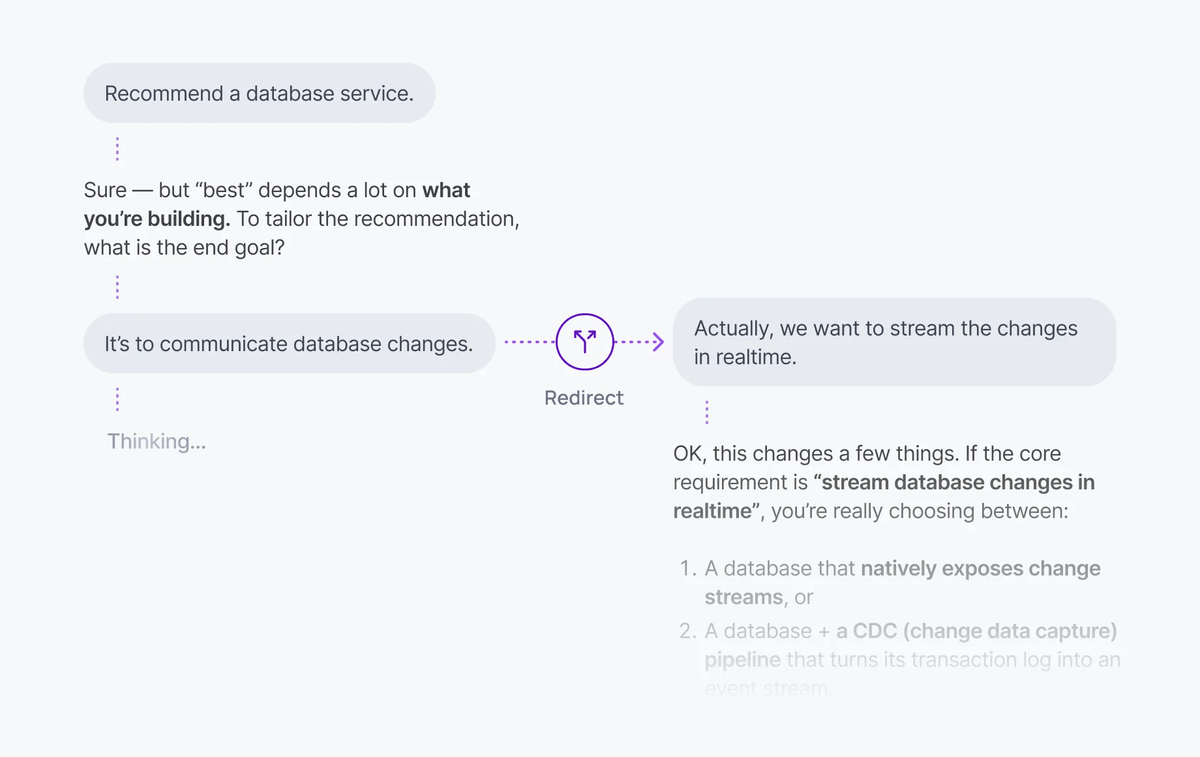
Start a Run with `view.send()`, then steer it by calling `activeRun.steer()` with a follow-up message:
#### Javascript

```
const activeRun = await session.view.send(UIMessageCodec.createUserMessage({
  id: crypto.randomUUID(),
  role: 'user',
  parts: [{ type: 'text', text: 'Plan a 3-day trip to Lisbon.' }],
}));

const { published, outcome } = activeRun.steer(UIMessageCodec.createUserMessage({
  id: crypto.randomUUID(),
  role: 'user',
  parts: [{ type: 'text', text: 'Make it 5 days, and keep it under £800.' }],
}));
```
## How it works
Each turn becomes a [Run](https://ably.com/docs/ai-transport/concepts/runs.md) on the session. While a Run is active, the client can do one of three things:
| Pattern | What happens | When to use it |
| --- | --- | --- |
| Steer the active Run | A new user message is published to the active Run; the agent picks it up on the next loop iteration. | Quick correction or scope clarification while the agent is still working. |
| Cancel and re-prompt | The active Run aborts; a new Run starts. | The previous direction is wrong; the user wants to start over. |
| Send alongside | A second Run starts; both Runs stream in parallel. | Quick follow-up that doesn't replace the in-flight reply. |
Steering is the least destructive: it doesn't end the Run, start a new Run, or break the stream.
## Steer the active Run
Call `activeRun.steer(input)` to send a steering message to the agent. The agent picks it up on the next loop iteration. A steering message will not start a new Run.
`steer()` returns two promises:
### Javascript

```
const { published, outcome } = activeRun.steer(UIMessageCodec.createUserMessage({
  id: crypto.randomUUID(),
  role: 'user',
  parts: [{ type: 'text', text: 'Also include vegan options.' }],
}));

const { serial } = await published;
const { consumed, runTerminalReason } = await outcome;
```
- `published` resolves once the steering message has been published to the channel, carrying the Ably-assigned `serial`.
- `outcome` resolves to `{ consumed: boolean, runTerminalReason?: RunEndReason }` once the agent consumes the steering message, or once the Run ends without consuming it:
- `consumed: true`: the agent saw the steering message before it sent its response. `outcome` resolves at the Run's next terminal event, whether the Run ends or suspends, so a message consumed before a suspend resolves rather than staying pending.
- `consumed: false`: the Run ended before the agent saw the message.
- `runTerminalReason`: how the Run ended (`'complete'`, `'cancelled'`, or `'error'`). Absent when the agent consumes the message at a `run-suspend`, since the Run has not ended.
On the agent side, `Run.hasInput()` controls the loop. It returns `true` while there's input the agent hasn't responded to (the original prompt, or a steering message from the previous iteration), and `false` once the agent has caught up:
### Javascript

```
const run = session.createRun(invocation, { signal: req.signal });

// Drain run.view for the full conversation before starting. run.messages is
// only this Run's own turn, so feed run.view to the model instead.
while (run.view.hasOlder()) await run.view.loadOlder();
await run.start();

while (run.hasInput()) {
  const conversation = run.view.getMessages().map(({ message }) => message);
  const result = streamText({
    model: anthropic('claude-sonnet-4-20250514'),
    messages: await convertToModelMessages(conversation),
    abortSignal: run.abortSignal,
  });
  await run.pipe(result.toUIMessageStream());
}

await run.end({ reason: 'complete' });
await session.end();
```
Each `pipe()` records which steering messages the agent had seen before producing that response. The client uses those records to resolve each message's outcome when the Run ends.
### Cancel the in-flight model call
The loop above only sees a steering message once the current model call finishes and `hasInput()` is checked again, so the steering message takes effect on the *next* response. To react immediately, pass the optional `onSteer` hook to `createRun()`. It fires the moment a steering message folds into the Run. The SDK does not interrupt the model call for you, so wire `onSteer` to abort the current model call; the loop then restarts with the steering message already in the conversation.
Give each model call its own `AbortController`, abort it from `onSteer`, and pass a signal that fires on either run cancellation or a steering message. The subtlety is that `onSteer` must abort *only* the model call, never the Run, and the loop has to tell a steering interruption apart from a genuine cancel before deciding how to end:
#### Javascript

```
let stepAbort = new AbortController();

const run = session.createRun(invocation, {
  signal: req.signal,
  // Abort only the current model call, never run.abortSignal, so a steering
  // message stops the response without cancelling the Run.
  onSteer: () => stepAbort.abort(),
});

while (run.view.hasOlder()) await run.view.loadOlder();
await run.start();

let outcome;
while (run.hasInput()) {
  stepAbort = new AbortController();
  const conversation = run.view.getMessages().map(({ message }) => message);
  const result = streamText({
    model: anthropic('claude-sonnet-4-20250514'),
    messages: await convertToModelMessages(conversation),
    // Abort on a genuine cancel (run.abortSignal) OR a steering message (stepAbort).
    abortSignal: AbortSignal.any([run.abortSignal, stepAbort.signal]),
  });

  const pipeResult = await run.pipe(result.toUIMessageStream());

  // run.pipe races only run.abortSignal, so a steering abort ends the stream
  // cleanly (pipe reason 'complete') while a real cancel ends it 'cancelled'.
  // A steering message interrupted this iteration if the stream ended clean, this
  // iteration's stepAbort fired, and the Run itself was not cancelled.
  const steerInterrupted =
    pipeResult.reason === 'complete' &&
    stepAbort.signal.aborted &&
    !run.abortSignal.aborted;

  if (steerInterrupted) {
    // Don't pass an interrupted iteration to vercelRunOutcome: an aborted
    // streamText rejects finishReason abort-like, which maps to 'cancelled' and
    // would end the Run. Swallow the rejection so it isn't unhandled, then loop.
    // hasInput() is now true, so the next iteration re-infers with the steering
    // message at the tail of the conversation.
    result.finishReason.catch(() => {});
    continue;
  }

  outcome = await vercelRunOutcome(pipeResult, result.finishReason);
  if (outcome.reason !== 'complete') break;
}

if (outcome?.reason === 'suspend') {
  await run.suspend();
} else {
  await run.end(outcome ?? { reason: 'complete' });
}
await session.end();
```
When `onSteer` aborts the model call, `run.pipe()` returns with the partial output published, `run.hasInput()` returns `true` because the steering message has folded into the conversation, and the next iteration streams a fresh response that includes it. `onSteer` takes no arguments and returns `void`; keep it synchronous and cheap, since it runs on the message-handling path.
## Implement cancel and re-prompt
To replace the in-flight Run with a fresh one, cancel active Runs and then send the new message:
### Javascript

```
import { useClientSession, useView } from '@ably/ai-transport/react';

function Chat() {
  const { session } = useClientSession();
  const view = useView();

  const handleSend = async (text) => {
    const active = view.runs().filter((run) => run.status === 'active');
    await Promise.all(active.map((run) => session.cancel(run.runId)));

    await view.send(UIMessageCodec.createUserMessage({
      id: crypto.randomUUID(),
      role: 'user',
      parts: [{ type: 'text', text }],
    }));
  };
}
```
`session.cancel(runId)` publishes a cancel signal. The agent's `Run.abortSignal` fires, the LLM stream stops, and the Run ends with reason `'cancelled'`. The new message starts a clean Run.
## Implement send-alongside
Send a new message without cancelling. Both Runs stream concurrently; each `ClientRun` carries its own `runId` and `cancel()`, and both Runs' outputs land on the same channel where they fold into the conversation tree by `runId`:
### Javascript

```
const followUp = await session.view.send(UIMessageCodec.createUserMessage({
  id: crypto.randomUUID(),
  role: 'user',
  parts: [{ type: 'text', text: 'Also include vegan options.' }],
}));
```
Cancel them independently with `session.cancel(specificRunId)` or `activeRun.cancel()`.
## Drive the Stop / Send toggle
`session.view.runs()` returns the visible `RunInfo` snapshots. Filter by `status === 'active'` to drive the Send / Stop toggle:
### Javascript

```
const { session } = useClientSession();
const isStreaming = session.view.runs().some((run) => run.status === 'active');

return isStreaming
  ?  cancelAll()} />
  : ;
```
## Edge cases and unhappy paths
- If a steering message arrives just as the agent finishes its last `pipe()`, `outcome` resolves to `consumed: false`. This is normal under load. Show the user that the message didn't reach the agent rather than dropping it silently.
- Once a Run has ended, `activeRun.steer()` rejects both promises immediately and publishes nothing. Only allow steering while `RunInfo.status === 'active'`.
- If a Run is `'suspended'` (waiting on a tool approval, for example), a steering message the agent has not yet consumed keeps its `outcome` pending until the Run resumes and consumes it or ends. A message the agent already consumed has resolved as `consumed: true`. Don't block UI updates on a pending outcome.
- `consumed: true` means the agent saw the steering message before it sent its response. It doesn't mean the LLM acted on it; that depends on the model, the system prompt, and what the agent passed in.
- Cancel is asynchronous. A small tail of tokens arrives after `session.cancel(runId)` returns and before the agent's `abortSignal` fires. The view emits them on the cancelled Run; treat them as belonging to that Run, not the new one.
- A Run cancelled while awaiting a tool result ends with `'cancelled'`. Tool calls triggered before the cancel may still run on your server unless your handler honours the same `AbortSignal`.
- A network drop on the client cancels nothing. The agent keeps streaming into the session. When the client reconnects, the response is still there. Check `session.view.runs()` on reconnect to decide whether to show Stop.
- Send-alongside is rate-limited by your channel and any server-side concurrency you enforce. See [concurrent turns](https://ably.com/docs/ai-transport/features/concurrent-turns.md).
- `'cancelled'` is reported on the Run's terminal `RunEndReason`. Don't infer cancellation from the absence of further tokens; subscribe to `view.on('run', ...)` and read the lifecycle event.
## FAQ
### When should I steer instead of cancel?
Steer when the existing direction is still useful and the user wants to refine it ("make it 5 days", "also include vegan options"). The agent keeps its tokens, its tool results, and its reasoning so far; the new input joins the conversation. Cancel when the existing direction is wrong and the user wants to start over.
### What does `consumed: false` mean for the user?
The Run ended before the agent saw the steering message. Two common causes: the message arrived after the agent's final `pipe()`, or the Run was cancelled or errored first. It's up to your application whether to re-submit the steering message as a new user prompt for a new Run, or to drop it.
### Can the agent ignore a steering message?
Yes. `consumed: true` only means the agent saw the message, not that the LLM acted on it. Whether the model heeds new mid-flight input depends on the model, the system prompt, and what the agent passed in.
### Can I cancel one of several concurrent Runs without touching the others?
Yes. `session.cancel(runId)` only cancels the matching Run. Pull `runId`s from `session.view.runs()` to target the right one.
### Does cancel work from a different device?
Yes. Cancel is a signal on the shared channel, so any client with publish capability can cancel a Run, not just the device that started it. The agent's `onCancel` hook decides whether to honour it; the default accepts every request. Scope it to the Run owner if a user should only cancel their own turns. See [cancellation](https://ably.com/docs/ai-transport/features/cancellation.md#authorization) for the authorisation pattern.
### Do steering messages persist in the conversation?
Yes. A steering message joins the conversation tree under the Run it steers, so every connected client sees it live and it survives reload. On rehydration `run.view.getMessages()` returns it in order alongside the original prompt and the agent's output, so the model sees the full exchange on the next turn.
### What happens if I send several steering messages at once?
The next `run.hasInput()` call drains all pending steering messages together, and the following `pipe()` stamps every one of their codec-message-ids, resolving each message's `outcome` as `consumed`. The agent folds them all into a single model call rather than replying to each separately.
### What if the agent endpoint is down when I send the follow-up?
The follow-up is published to the channel before your agent endpoint is called, so it is durable regardless of the endpoint's health. For a steering message that is all that is needed: the already-running agent picks it up on its next `hasInput()` check. For a new Run (cancel-and-reprompt or send-alongside) the client also POSTs to wake the agent; if that POST fails, the user input still sits on the channel, so retry the POST once the endpoint recovers and the agent drains history to find the trigger and start the Run.
## Related features
- [Cancellation](https://ably.com/docs/ai-transport/features/cancellation.md): cancel signals and agent-side authorisation.
- [Concurrent turns](https://ably.com/docs/ai-transport/features/concurrent-turns.md): multiple Runs in flight on the same session.
- [Runs](https://ably.com/docs/ai-transport/concepts/runs.md#steer): how steering fits the Run model.
## Related Topics
- [Agent presence](https://ably.com/docs/ai-transport/features/agent-presence.md): Show agent status in your AI application with Ably Presence. Display streaming, thinking, idle, and offline states in real time.
- [Branching, edit, and regenerate](https://ably.com/docs/ai-transport/features/branching.md): Edit user messages, regenerate AI responses, and navigate branches with Ably AI Transport. The full history is preserved in the conversation tree.
- [Cancellation](https://ably.com/docs/ai-transport/features/cancellation.md): Cancel AI responses mid-stream with Ably AI Transport. Scoped cancel signals, server-side authorization, and graceful abort handling.
- [Chain of thought](https://ably.com/docs/ai-transport/features/chain-of-thought.md): Stream reasoning and thinking content alongside responses with Ably AI Transport. Display chain-of-thought in real time.
- [Concurrent turns](https://ably.com/docs/ai-transport/features/concurrent-turns.md): Run multiple AI turns simultaneously with Ably AI Transport. Independent streams, scoped cancellation, and multi-agent support.
- [Database hydration](https://ably.com/docs/ai-transport/features/database-hydration.md): Hydrate an AI conversation from your own database with AI Transport and reconcile it with the live Ably channel, with no gap and no duplicate.
- [Double texting](https://ably.com/docs/ai-transport/features/double-texting.md): Handle users sending multiple messages while the AI is streaming with Ably AI Transport. Queue or run messages concurrently.
- [Durable execution](https://ably.com/docs/ai-transport/features/durable-execution.md): Run AI Transport agents inside a durable workflow engine. Adopt an in-flight Run from a fresh process, retry a failed Step under a stable stepId, and let the retry supersede the failed attempt on the channel.
- [History and replay](https://ably.com/docs/ai-transport/features/history.md): Load conversation history from Ably channels with AI Transport. Paginated history, gapless continuity, and scroll-back patterns.
- [Human-in-the-loop](https://ably.com/docs/ai-transport/features/human-in-the-loop.md): Add human approval gates to AI agent workflows with Ably AI Transport. Approve tool executions and provide input across devices.
- [LiveObjects State](https://ably.com/docs/ai-transport/features/liveobjects.md): Give an AI agent live awareness of what the user is doing, and the user live awareness of what the agent is doing, with shared state on the AI Transport session channel via Ably LiveObjects.
- [Multi-device sessions](https://ably.com/docs/ai-transport/features/multi-device.md): Share AI conversations across tabs, phones, and laptops with Ably AI Transport. All devices see the same session in real time.
- [Optimistic updates](https://ably.com/docs/ai-transport/features/optimistic-updates.md): User messages appear instantly in Ably AI Transport. Optimistic insertion with automatic reconciliation when the server confirms.
- [Push notifications](https://ably.com/docs/ai-transport/features/push-notifications.md): Notify users when AI agents complete background tasks with Ably Push Notifications. Reach users even when they're offline.
- [Reconnection and recovery](https://ably.com/docs/ai-transport/features/reconnection-and-recovery.md): AI Transport streams survive connection drops automatically. Clients reconnect and resume from where they left off with no lost tokens.
- [Token streaming](https://ably.com/docs/ai-transport/features/token-streaming.md): Stream AI-generated tokens to clients in realtime using AI Transport, with support for message-per-response and message-per-token patterns.
- [Tool calling](https://ably.com/docs/ai-transport/features/tool-calling.md): Stream tool invocations and results through Ably AI Transport. Server-executed and client-executed tools with persistent state.
## Documentation Index
To discover additional Ably documentation:
1. Fetch [llms.txt](https://ably.com/llms.txt) for the canonical list of available pages.
2. Identify relevant URLs from that index.
3. Fetch target pages as needed.
Avoid using assumed or outdated documentation paths.