# Conversation branching, edit, and regenerate
Your users edit any message or regenerate any response, and the conversation forks instead of overwriting. AI Transport stores every branch in the session tree, with one-line UI hooks for sibling navigation.
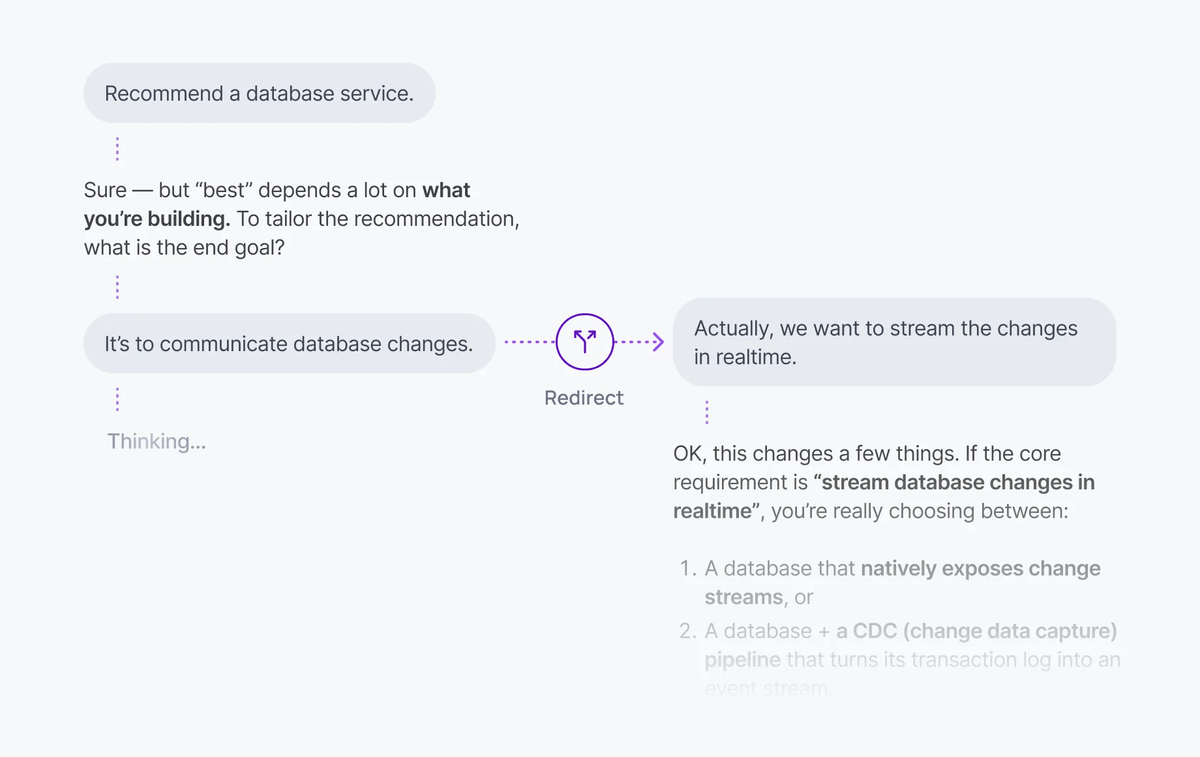
Modern AI chat experiences let users fork the conversation: edit an earlier prompt, regenerate a response, or branch from any point. AI Transport supports this directly. Edit and regenerate are operations on the [conversation tree](https://ably.com/docs/ai-transport/concepts/conversation-tree.md?source=llms.txt); every fork creates a sibling branch and nothing is overwritten.
A minimal regenerate:
#### Javascript

```
await view.regenerate(assistantMessageId);
```
## How it works
The conversation is a tree, not a list. Every message is a node with a parent pointer. When a user edits a message or regenerates a response, the SDK creates a new branch instead of overwriting the original.
- `edit()` forks a user message. The original message and its descendants remain intact. A new child is added to the same parent, creating a sibling branch.
- `regenerate()` forks an assistant message. The original response stays in the tree, and a new sibling is created with a fresh turn.
Each fork carries `forkOf` and `parent` headers that tell the server where the new branch diverges from the existing tree. The view flattens the selected branch into a linear list for rendering.
## Regenerate a response
Regenerate creates a sibling of an assistant message and starts a new turn. The original response stays in the tree:
### Javascript

```
const { regenerate } = useView();
await regenerate(messageId);
```
The new turn is sent to the server with `forkOf` set to the original assistant message ID and `parent` set to the user message that preceded it. The server generates a new response from that point in the conversation.
## Edit a user message
Edit replaces a user message and starts a new turn from that point. The original message and its descendants remain in the tree as a separate branch:
### Javascript

```
const { edit } = useView();
await edit(messageId, [
  { role: 'user', content: 'Updated question here' },
]);
```
The edit creates a new user message as a sibling of the original and triggers a new turn so the agent responds to the updated message. Multiple messages in a single edit are inserted as a sequence on the new branch:
### Javascript

```
await view.edit(messageId, [
  { role: 'user', content: 'First part of my revised input' },
  { role: 'user', content: 'Second part with additional context' },
]);
```
## Navigate between branches
When a message has siblings (from edits or regenerations), the view exposes methods to navigate between them. This is what drives a "1 of 3" UI pattern.
### Javascript

```
const hasSiblings = view.hasSiblings(messageId);
const siblings = view.getSiblings(messageId);
const index = view.getSelectedIndex(messageId);

view.select(messageId, 2); // select the third sibling
```
A typical branch navigation component:
### Javascript
```
function BranchNav({ messageId, view }) {
const siblings = view.getSiblings(messageId);
const selected = view.getSelectedIndex(messageId);
if (siblings.length <= 1) return null;
return (
{selected + 1} of {siblings.length}
);
}
```
When the user selects a different sibling, the view recalculates the flattened branch. Every message below the selection point updates to reflect the chosen branch.
## Show branches side by side
Multiple views exist over the same conversation tree. Each view has its own branch selection and pagination, so different parts of the UI render different branches at the same time:
### Javascript

```
const view1 = useCreateView();
const view2 = useCreateView();

// view1 shows branch A, view2 shows branch B; both read the same tree.
```
This is the pattern for comparison UIs where a user wants to see two regenerated responses side by side without switching back and forth.
## Server handling
The server receives `forkOf` and `parent` in the request body. Pass them to `newTurn()` so the transport publishes messages with the correct tree metadata:
### Javascript

```
app.post('/chat', async (req, res) => {
  const { messages, turnId, clientId, forkOf, parent } = req.body;

  const turn = transport.newTurn({ turnId, clientId, forkOf, parent });
  await turn.start();

  const result = streamText({
    model: anthropic('claude-sonnet-4-20250514'),
    messages, // already truncated to the fork point by the client
    abortSignal: turn.abortSignal,
  });

  const { reason } = await turn.streamResponse(result.toUIMessageStream());
  await turn.end(reason);
});
```
`forkOf` identifies the message being replaced (the original user message for edit, or the original assistant message for regenerate). `parent` identifies where the new branch connects to the existing tree. The client truncates conversation history to the fork point before sending; the server receives exactly the history the LLM needs.
## Edge cases and unhappy paths
- Editing or regenerating mid-stream cancels nothing automatically. Cancel the active turn first if you do not want both to run.
- A view's branch selection is local to that view. Two devices on the same session see different branches if they have different selections; the tree is shared, the selection is per-view.
- A deeply nested tree (many edits and regenerations on top of each other) lets the user navigate forever. Cap or hide branch navigation in the UI if your application has a preferred branch.
- A regenerate against a message whose parent has been edited still works; the new branch attaches at the same `parent` regardless of what siblings exist.
- The flattened view recomputes when the selection changes. Avoid heavy work in the render path; the tree updates are frequent during streaming.
## FAQ
### Does edit overwrite the original message?
No. The original message and its descendants stay in the tree. A new sibling branch is created with the edited content. Users navigate between branches with `view.select()`.
### How is regenerate different from sending a new prompt?
Regenerate creates a sibling of an assistant message under the same user prompt. Sending a new prompt adds a new exchange below the current branch. Use regenerate to compare alternative responses; use a new prompt to continue the conversation.
### Can two clients edit at the same time?
Yes. Each edit creates a sibling, so concurrent edits produce two new siblings. The tree merges cleanly; the view's selection determines what each device renders.
### What if the LLM produces the same response on regenerate?
You get a sibling with the same content. Use temperature or sampling settings to encourage variety, or expose a "regenerate again" affordance.
### How deep does the tree get?
The tree depth is bounded by the conversation length. Branch breadth grows with edits and regenerations. There is no fixed limit; render performance is the practical constraint.
## Related features
- [History and replay](https://ably.com/docs/ai-transport/features/history.md?source=llms.txt): loading conversation history including all branches.
- [Multi-device sessions](https://ably.com/docs/ai-transport/features/multi-device.md?source=llms.txt): edits and regenerations sync across devices.
- [Optimistic updates](https://ably.com/docs/ai-transport/features/optimistic-updates.md?source=llms.txt): edits use optimistic insertion for the revised message.
- [Conversation tree](https://ably.com/docs/ai-transport/concepts/conversation-tree.md?source=llms.txt): how forks form the underlying data structure.
## Related Topics
- [Token streaming](https://ably.com/docs/ai-transport/features/token-streaming.md?source=llms.txt): Stream AI-generated tokens to clients in realtime using AI Transport, with support for message-per-response and message-per-token patterns.
- [Cancellation](https://ably.com/docs/ai-transport/features/cancellation.md?source=llms.txt): Cancel AI responses mid-stream with Ably AI Transport. Scoped cancel signals, server-side authorization, and graceful abort handling.
- [Reconnection and recovery](https://ably.com/docs/ai-transport/features/reconnection-and-recovery.md?source=llms.txt): AI Transport streams survive connection drops automatically. Clients reconnect and resume from where they left off with no lost tokens.
- [Multi-device sessions](https://ably.com/docs/ai-transport/features/multi-device.md?source=llms.txt): Share AI conversations across tabs, phones, and laptops with Ably AI Transport. All devices see the same session in real time.
- [History and replay](https://ably.com/docs/ai-transport/features/history.md?source=llms.txt): Load conversation history from Ably channels with AI Transport. Paginated history, gapless continuity, and scroll-back patterns.
- [Interruption](https://ably.com/docs/ai-transport/features/interruption.md?source=llms.txt): Let users interrupt AI agents mid-stream with Ably AI Transport. Cancel-then-send and send-alongside patterns for responsive AI interactions.
- [Concurrent turns](https://ably.com/docs/ai-transport/features/concurrent-turns.md?source=llms.txt): Run multiple AI turns simultaneously with Ably AI Transport. Independent streams, scoped cancellation, and multi-agent support.
- [Tool calling](https://ably.com/docs/ai-transport/features/tool-calling.md?source=llms.txt): Stream tool invocations and results through Ably AI Transport. Server-executed and client-executed tools with persistent state.
- [Human-in-the-loop](https://ably.com/docs/ai-transport/features/human-in-the-loop.md?source=llms.txt): Add human approval gates to AI agent workflows with Ably AI Transport. Approve tool executions and provide input across devices.
- [Optimistic updates](https://ably.com/docs/ai-transport/features/optimistic-updates.md?source=llms.txt): User messages appear instantly in Ably AI Transport. Optimistic insertion with automatic reconciliation when the server confirms.
- [Agent presence](https://ably.com/docs/ai-transport/features/agent-presence.md?source=llms.txt): Show agent status in your AI application with Ably Presence. Display streaming, thinking, idle, and offline states in real time.
- [Push notifications](https://ably.com/docs/ai-transport/features/push-notifications.md?source=llms.txt): Notify users when AI agents complete background tasks with Ably Push Notifications. Reach users even when they're offline.
- [Chain of thought](https://ably.com/docs/ai-transport/features/chain-of-thought.md?source=llms.txt): Stream reasoning and thinking content alongside responses with Ably AI Transport. Display chain-of-thought in real time.
- [Double texting](https://ably.com/docs/ai-transport/features/double-texting.md?source=llms.txt): Handle users sending multiple messages while the AI is streaming with Ably AI Transport. Queue or run messages concurrently.
## Documentation Index
To discover additional Ably documentation:
1. Fetch [llms.txt](https://ably.com/llms.txt?source=llms.txt) for the canonical list of available pages.
2. Identify relevant URLs from that index.
3. Fetch target pages as needed.
Avoid using assumed or outdated documentation paths.