# Agent presence
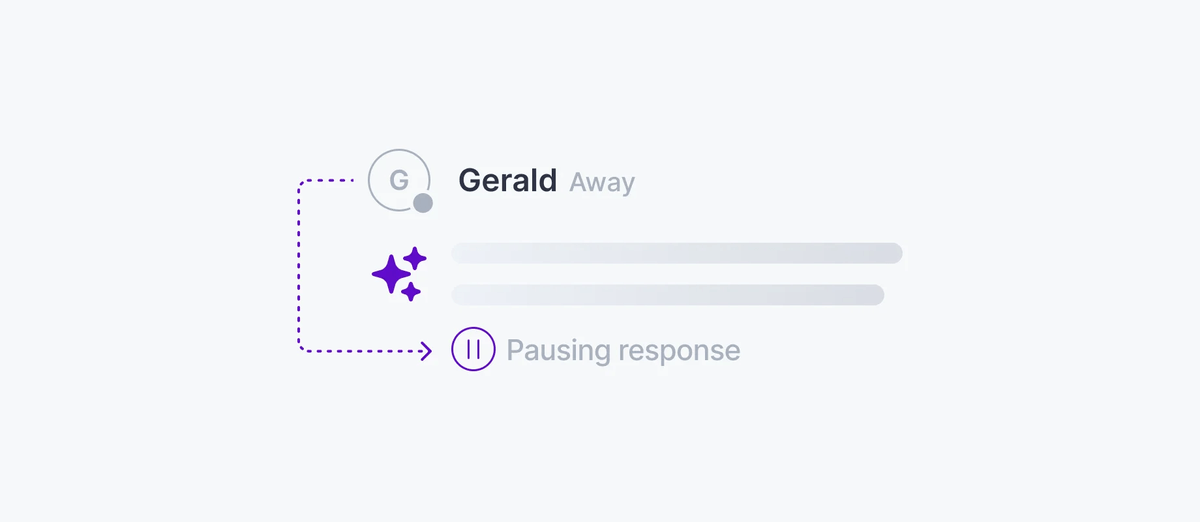
Agent presence provides a realtime view to other session participants so they can know which agents are active in a session. Agent presence uses Ably's native [Presence](https://ably.com/docs/presence.md) API to show real-time agent status in your application, and this could include a sole or orcestrator agent, or multiple sub-agents. Presence can convey whether the agent is streaming, thinking, idle, or offline - across all connected clients.
## How it works
The agent enters presence on the AI Transport session channel with status data. As the agent moves through its turn lifecycle - receiving a message, thinking, streaming, finishing - it updates its presence data. All connected clients receive these updates in real time.
### Javascript

```
// Server: agent enters presence when it connects
const channel = ably.channels.get(sessionChannelName)
await channel.presence.enter({ status: 'idle' })

// Update status during each turn lifecycle
app.post('/api/chat', async (req, res) => {
  const { turnId, clientId, messages } = req.body
  const turn = transport.newTurn({ turnId, clientId })

  await channel.presence.update({ status: 'thinking' })

  const result = streamText({
    model: openai('gpt-4o'),
    messages,
    abortSignal: turn.abortSignal,
  })

  await channel.presence.update({ status: 'streaming' })
  await turn.streamResponse(result.toUIMessageStream())
  await channel.presence.update({ status: 'idle' })
  res.json({ ok: true })
})
```
## Subscribe to agent status
On the client, subscribe to presence events to track the agent's current state:
### Javascript

```
const channel = ably.channels.get(sessionChannelName)

channel.presence.subscribe((member) => {
  if (member.clientId === 'agent') {
    console.log(`Agent is ${member.data.status}`)
  }
})

// Get the current presence set
const members = await channel.presence.get()
const agent = members.find(m => m.clientId === 'agent')
```
## Combine with active turns
For richer status indicators, combine presence data with `useActiveTurns`. Presence tells you the agent's self-reported state. Active turns tell you which turns are in progress:
### Javascript

```
const activeTurns = useActiveTurns(transport)
const agentStatus = useAgentPresence(channel) // your custom hook

// Agent is streaming if it has active turns
const isStreaming = activeTurns.has('agent')

// Agent is online but idle if present with no active turns
const isIdle = agentStatus === 'idle' && !isStreaming

// Agent is offline if not in the presence set
const isOffline = agentStatus === null
```
This gives the UI enough information to show a typing indicator while the agent is thinking, a streaming animation while tokens are arriving, and an offline badge when the agent disconnects.
## Related features
- [Presence](https://ably.com/docs/presence.md) - the Ably Presence API used for agent status
- [Concurrent turns](https://ably.com/docs/ai-transport/features/concurrent-turns.md) - tracking active turns across clients
- [Multi-device sessions](https://ably.com/docs/ai-transport/features/multi-device.md) - presence works across all connected devices
- [Ably Presence](https://ably.com/docs/presence.md) - full reference for the Presence API.
- [Sessions and turns](https://ably.com/docs/ai-transport/how-it-works/sessions-and-turns.md) - how sessions and presence work together.
- [Get started](https://ably.com/docs/ai-transport/getting-started/vercel-ai-sdk.md) - build your first AI Transport application.
## Related Topics
- [Token streaming](https://ably.com/docs/ai-transport/features/token-streaming.md): Stream AI-generated tokens to clients in realtime using AI Transport, with support for message-per-response and message-per-token patterns.
- [Cancellation](https://ably.com/docs/ai-transport/features/cancellation.md): Cancel AI responses mid-stream with Ably AI Transport. Scoped cancel signals, server-side authorization, and graceful abort handling.
- [Reconnection and recovery](https://ably.com/docs/ai-transport/features/reconnection-and-recovery.md): AI Transport streams survive connection drops automatically. Clients reconnect and resume from where they left off with no lost tokens.
- [Multi-device sessions](https://ably.com/docs/ai-transport/features/multi-device.md): Share AI conversations across tabs, phones, and laptops with Ably AI Transport. All devices see the same session in real time.
- [History and replay](https://ably.com/docs/ai-transport/features/history.md): Load conversation history from Ably channels with AI Transport. Paginated history, gapless continuity, and scroll-back patterns.
- [Conversation branching](https://ably.com/docs/ai-transport/features/branching.md): Branch conversations with edit and regenerate in Ably AI Transport. Navigate sibling branches and maintain full conversation history.
- [Interruption and barge-in](https://ably.com/docs/ai-transport/features/interruption.md): Let users interrupt AI agents mid-stream with Ably AI Transport. Cancel-then-send and send-alongside patterns for responsive AI interactions.
- [Concurrent turns](https://ably.com/docs/ai-transport/features/concurrent-turns.md): Run multiple AI turns simultaneously with Ably AI Transport. Independent streams, scoped cancellation, and multi-agent support.
- [Edit and regenerate](https://ably.com/docs/ai-transport/features/edit-and-regenerate.md): Edit user messages and regenerate AI responses with Ably AI Transport. Fork conversations and navigate between branches.
- [Tool calling](https://ably.com/docs/ai-transport/features/tool-calling.md): Stream tool invocations and results through Ably AI Transport. Server-executed and client-executed tools with persistent state.
- [Human-in-the-loop](https://ably.com/docs/ai-transport/features/human-in-the-loop.md): Add human approval gates to AI agent workflows with Ably AI Transport. Approve tool executions and provide input across devices.
- [Optimistic updates](https://ably.com/docs/ai-transport/features/optimistic-updates.md): User messages appear instantly in Ably AI Transport. Optimistic insertion with automatic reconciliation when the server confirms.
- [Push notifications](https://ably.com/docs/ai-transport/features/push-notifications.md): Notify users when AI agents complete background tasks with Ably Push Notifications. Reach users even when they're offline.
- [Chain of thought](https://ably.com/docs/ai-transport/features/chain-of-thought.md): Stream reasoning and thinking content alongside responses with Ably AI Transport. Display chain-of-thought in real time.
- [Double texting](https://ably.com/docs/ai-transport/features/double-texting.md): Handle users sending multiple messages while the AI is streaming with Ably AI Transport. Queue or run messages concurrently.
## Documentation Index
To discover additional Ably documentation:
1. Fetch [llms.txt](https://ably.com/llms.txt) for the canonical list of available pages.
2. Identify relevant URLs from that index.
3. Fetch target pages as needed.
Avoid using assumed or outdated documentation paths.